> ## Documentation Index
> Fetch the complete documentation index at: https://docs.withcortex.ai/llms.txt
> Use this file to discover all available pages before exploring further.
# Built-in Triggers
> Explore the built-in trigger options available in Cortex workflows.
## Scheduler Trigger
The Scheduler is a built-in trigger step that allows you to run workflows at specified times or intervals. Unlike other triggers that depend on external integrations, the Scheduler is built into Cortex, so no additional connections are required.
With the Scheduler trigger, you can configure:
* Regular intervals (every minute, hour, day, etc.)
* Specific times using cron expressions
* Time zone settings for accurate scheduling
This trigger is ideal for recurring tasks such as generating daily reports, sending weekly newsletters, or performing periodic data updates.
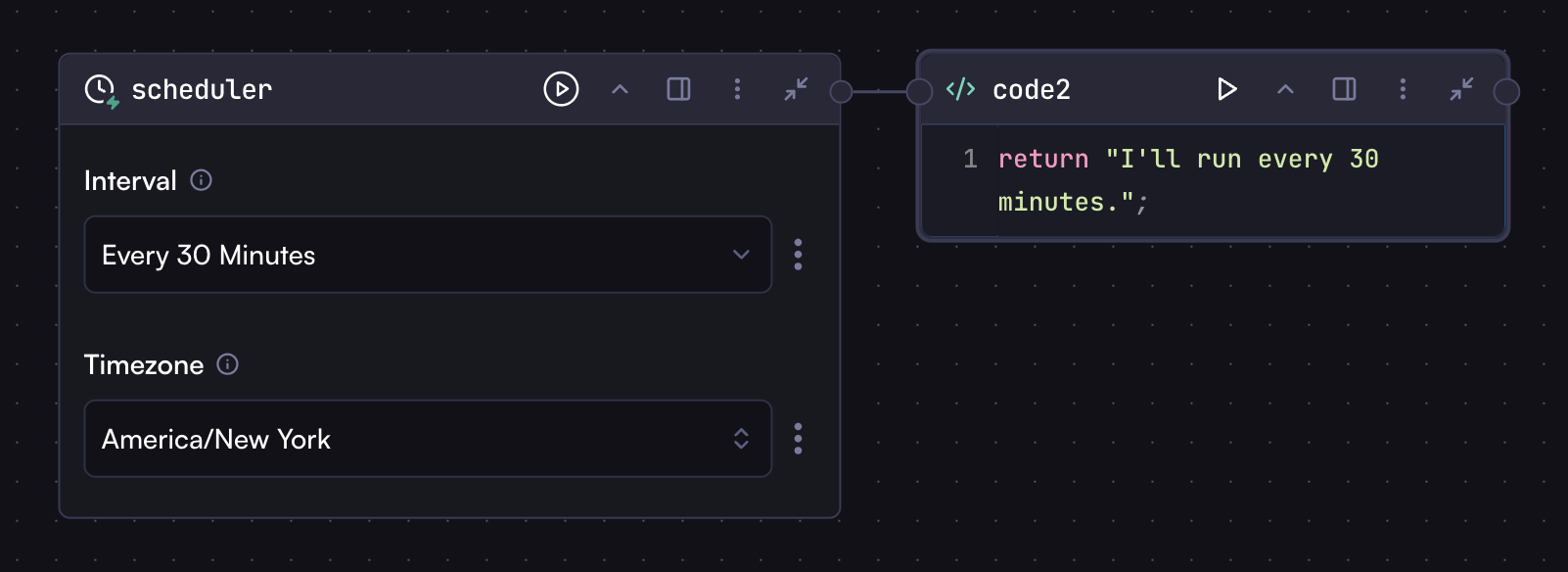 To enter a cron expression manually, click the three dots next to the field and select "Manual". This will convert the field from a selector to a text input where you can type your cron expression.
For example, you can enter `0 9 * * *` to schedule the workflow to run at 9:00 AM every day.
To enter a cron expression manually, click the three dots next to the field and select "Manual". This will convert the field from a selector to a text input where you can type your cron expression.
For example, you can enter `0 9 * * *` to schedule the workflow to run at 9:00 AM every day.